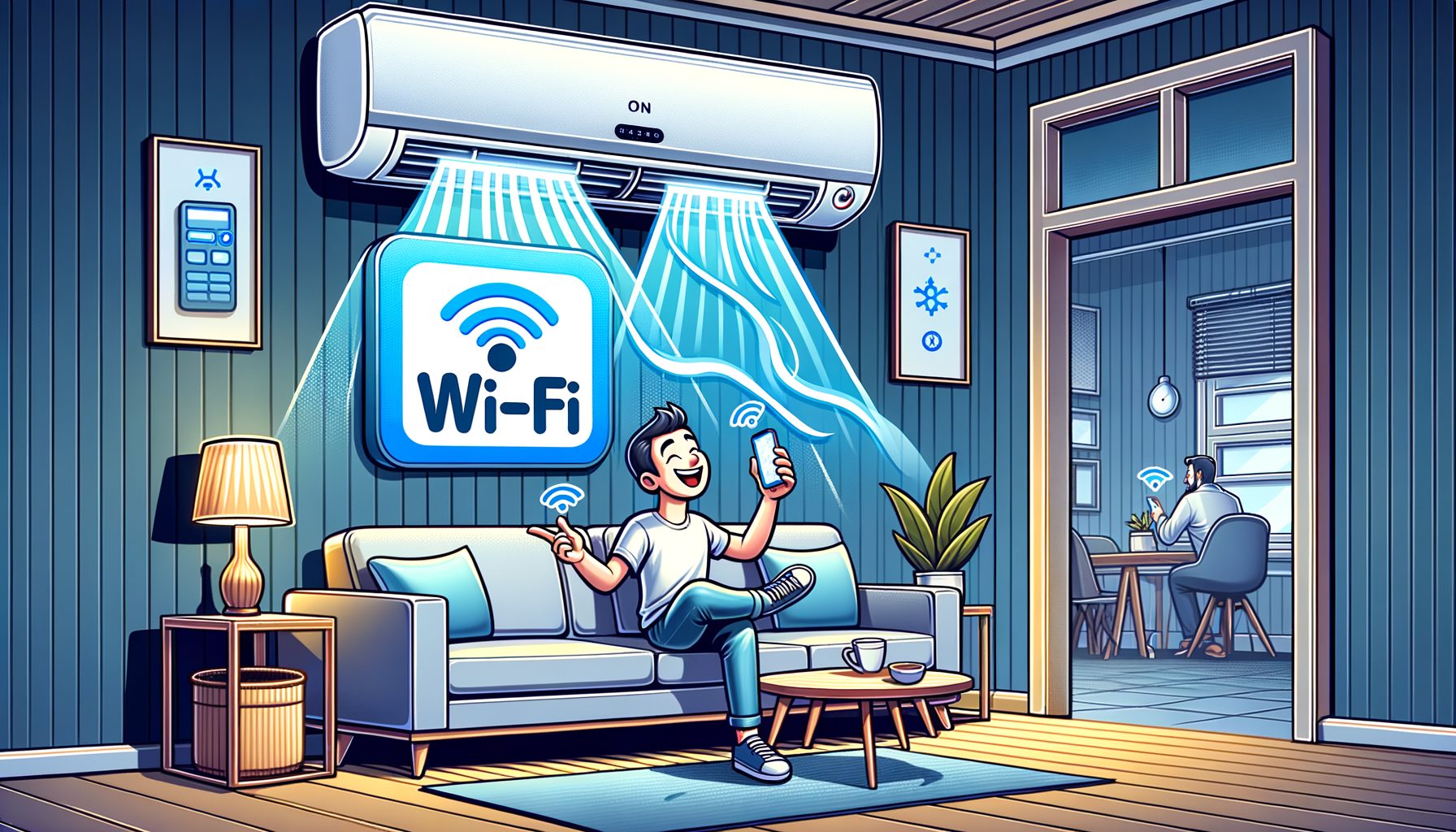
Hotter summers, higher energy bills, and long hours away from home turn comfort into a daily balancing act. Cooling an empty room? Coming home to stale air? Frustrating. Well, here it is: a WiFi-Enabled AC puts climate control on your phone so you can manage it from anywhere. In this guide, you’ll see what a WiFi-Enabled AC does, how it works, which features matter, and how to pick and set one up for steady comfort and real savings.
What a WiFi-Enabled AC Is—and How It Works
A WiFi-Enabled AC is an air conditioner you control over the internet via a smartphone app, voice assistant, or automation platform. Some models ship with Wi‑Fi onboard; others become “smart” with an infrared (IR) controller or a smart plug, depending on the unit’s design. The core idea is simple: connect, control, and optimize.
Under the hood, most smart units rely on 2.4 GHz Wi‑Fi for better range and wall penetration than 5 GHz. After a quick pairing, the AC communicates with a secure cloud service and your app; many brands also enable local network control for privacy or when the internet drops. Your app acts as the command center—adjust temperature, fan speed, and mode (cool, dry, fan, auto), set schedules, check energy use, and receive alerts. Then this: if supported, geofencing can automatically tweak settings as you leave or approach home.
Modern inverter ACs pair especially well with Wi‑Fi control. Instead of simply cycling on and off, compressor speed is varied smoothly, temperature is held more precisely, and energy use often falls. Combine inverter tech with smarter schedules and occupancy detection and you get tangible savings without sacrificing comfort.
No smart features today? Retrofit them. For window and split units that use an IR remote, a smart IR controller (from Sensibo, tado°, or BroadLink, for example) can mirror remote commands over Wi‑Fi. For portable or window models with mechanical switches that resume after power loss, a smart plug adds remote on/off control. What’s interesting too: while retrofits may not unlock deep analytics, they deliver an affordable on-ramp to smart cooling.
Features That Actually Matter Day to Day
Remote control grabs the headlines—set a temperature on the train, shut cooling off from a coffee shop, or switch to Dry mode when humidity spikes. Yet the real value shows up when several smart features work together to keep comfort consistent while cutting costs.
Schedules and scenes: Most apps let you build weekday/weekend schedules, pre-cool before bed, or warm up in the morning if heat-pump mode exists. Layer scenes like “Work,” “Sleep,” and “Away” to switch behaviors with a single tap. Then this: geofencing sharpens everything by using your phone’s location to turn cooling off when you leave and back on as you return, slashing wasted runtime with minimal effort.
Energy monitoring and insights: Some models estimate or directly measure kWh. Over a week or month, patterns emerge—say, a 3 p.m. spike from afternoon sun. Many apps translate that into cost, nudging you to raise setpoints a degree or two during peak prices. If native monitoring is missing, a smart plug with energy metering can fill the gap for simple on/off units.
Voice and ecosystem integration: WiFi-Enabled ACs commonly work with Alexa and Google Assistant, and some integrate with Apple Home. That means easy voice commands (“Cool the living room to 24°C”) and automations across devices. For instance, trigger cooling when a smart lock opens, or pause when a window sensor detects an open window. DIY-minded? Platforms like Home Assistant or IFTTT connect your AC with countless triggers and actions.
Maintenance and reliability: Filter reminders and error-code alerts keep systems efficient and reduce breakdowns. Features get better over time through firmware updates. Multi-user control lets everyone manage the AC from their own phone, and activity logs help prevent miscommunications. When combined, the AC shifts from a single-purpose appliance to a responsive piece of your smart home.
Benefits You Can Measure: Comfort, Savings, and Fewer Headaches
The top reason to buy a WiFi-Enabled AC is straightforward: more comfort with less energy. Rather than blasting cold air and overshooting, smart and inverter-based systems maintain steadier temperature and humidity, which feels better for most people while using fewer kilowatt-hours. Energy agencies consistently show that smart scheduling, higher away setpoints, and routine maintenance yield meaningful savings without sacrificing comfort.
How much can you save? Results vary by climate, insulation, AC type, and habits. Still, pairing an inverter AC with geofencing and schedules often cuts cooling energy by double digits compared to an always-on setup. Even small changes add up—raise the setpoint by 1°C (about 2°F) during peak demand and seasonal energy use can drop noticeably.
Below is a quick guide to typical impacts reported in research and field studies. Your mileage will vary, but the direction is clear: smarter control reduces waste.
| Feature/Practice | Typical Energy Impact | Comfort Impact | Effort to Implement |
|---|---|---|---|
| Geofencing (auto Away/Return) | 5–15% savings vs always-on | High (home is pre-cooled before arrival) | Low (enable in app, allow location) |
| Smart scheduling (work/sleep scenes) | 5–20% savings | High (consistent temperature when needed) | Low–Medium (one-time setup) |
| Inverter AC vs fixed-speed | 15–40% savings potential | High (steadier temp, less noise) | High (equipment upgrade) |
| Filter reminders and cleaning | 2–10% savings | Medium (better airflow, air quality) | Low (monthly check) |
| Higher setpoint by 1–2°C (2–3°F) | 3–10% savings | Low–Medium (if humidity is controlled) | Low (tap to adjust) |
Beyond savings and comfort, reliability improves. Alerts flag clogged filters early. Usage graphs reveal habits—doors opening frequently, for example—that you can fix. And with integrations, common mistakes get avoided automatically: the AC shuts off when a window opens or when no motion is detected for a while. For fundamentals on efficient cooling, see guidance from the U.S. Department of Energy, ENERGY STAR, and the IEA; they consistently recommend right-sizing equipment, sealing air leaks, and managing setpoints for long-term gains.
How to Choose and Set Up the Right Smart AC
Begin with sizing and efficiency. Match cooling capacity to your space using BTU/h or kW calculators from reputable sources, and account for insulation, sun exposure, and occupancy. Oversized units short-cycle and waste energy; undersized ones run constantly and still feel warm. Look for inverter models with strong efficiency ratings (SEER/SEER2, EER, or CSPF, depending on your region). ENERGY STAR room ACs and high-SEER mini-splits are dependable benchmarks.
After that, check connectivity and ecosystem fit. Confirm the AC works on your home’s Wi‑Fi (many use 2.4 GHz only). Verify integration with Alexa, Google Assistant, or Apple Home, and look for app features like geofencing, energy insights, and multi-user support. Prefer privacy-first or local control? Seek devices with local APIs or third-party support such as Home Assistant. Also review the brand’s privacy policy and update cadence—encryption and firmware updates matter.
Retrofitting a non-smart unit? If it uses an IR remote, an IR bridge can deliver full remote control and scheduling. Popular options include Sensibo, tado°, and BroadLink. If your unit is simple on/off and resumes after power loss, a smart plug with energy monitoring offers basic remote control plus useful usage data. Then this: always check compatibility lists and user reviews before buying.
For setup best practices, keep the AC within strong Wi‑Fi range and use a straightforward SSID with WPA2/WPA3 security. Pairing usually goes faster if your phone is on 2.4 GHz. Create schedules right away—an “Away” mode with a slightly higher setpoint, a “Sleep” mode with gentle cooling, and a “Return” pre-cool timed to your routine. Enable filter reminders and any available energy alerts. For security, consider a separate IoT or guest network, keep firmware current, and disable unneeded features (such as cloud control) if local control exists. Finally, test automations: open a window, leave with your phone, or trigger a routine to confirm behavior.
Q&A: Common Questions About WiFi-Enabled ACs
Q: Will a WiFi-Enabled AC work if my internet goes down? A: Most units keep running with their last settings, and you can still use the physical panel or remote. Some brands also allow local LAN control through the app when your home network is up but the internet is down. If offline control matters, look for explicit “local control” support or integrate with a local hub.
Q: Is geofencing safe for privacy? A: Geofencing uses your phone’s location to adjust the AC automatically. Reputable apps let you manage permissions and stored data. You can limit sharing to “While Using the App” or turn off precise location if you prefer, though more precise data usually improves performance. Review the app’s privacy policy and use OS-level controls to tailor what’s shared.
Q: Can I add smart features to a basic window or split AC? A: Yes. If your AC relies on an IR remote, a smart IR controller can replicate commands (mode, temp, fan) over Wi‑Fi. If your unit powers back on after an outage, a smart plug provides simple remote on/off and sometimes energy monitoring. The experience won’t equal a fully integrated inverter system, but it’s an affordable upgrade.
Q: How much energy can I realistically save? A: Many households see 10–30% savings by combining an efficient inverter AC with smart scheduling, geofencing, and routine maintenance, compared with “set and forget” usage. Actual results depend on climate, insulation, and habits. Track kWh in the app or your utility portal and fine-tune during the first month.
Q: Do WiFi-Enabled ACs integrate with other smart devices? A: Definitely. Common setups pause cooling when a window opens, pre-cool when the smart lock unlocks, and use occupancy sensors to reduce cooling in empty rooms. Look for compatibility with Alexa, Google Assistant, Apple Home, IFTTT, or open-source platforms like Home Assistant for flexible automation.
Conclusion: Smarter Cooling, Lower Bills, Better Living
WiFi-Enabled ACs close the gap between comfort and control. You’ve seen what they are, how they connect, which features truly matter, and how those features translate into measurable benefits: steadier temperatures, fewer wasted hours of cooling, and actionable energy insights. You also have a roadmap for choosing the right model, retrofitting an existing unit, and setting up schedules, geofencing, and security best practices for reliable results.
Ready to act? Start small and practical: check your current AC’s model and remote type, decide whether to buy a built-in smart inverter unit or add an IR controller or smart plug, and block 20 minutes to set up the app, schedules, and filter reminders. After a week, review energy data and tweak setpoints by a degree. Then this: layer geofencing and consider linking the AC to a window sensor or your smart lock to prevent common waste. Simple steps, consistent payoff.
Energy gets expensive when it’s wasted—and cheaper when it’s managed. A WiFi-Enabled AC gives you the tools to manage it without thinking about it all day. Take the first step today: pick your approach, set up your first schedule, and enjoy walking into a home that already feels right. What’s interesting too, you’ll likely breathe easier and spend less this season. Which comfort goal will you automate first?
Helpful resources and references:
U.S. Department of Energy: Room Air Conditioners
International Energy Agency: The Future of Cooling
ASHRAE: Thermal Comfort resources
NISTIR 8228: Managing IoT Cybersecurity and Privacy Risks
Home Assistant | IFTTT | Sensibo | tado° | BroadLink